
Note
Go to the end to download the full example code.
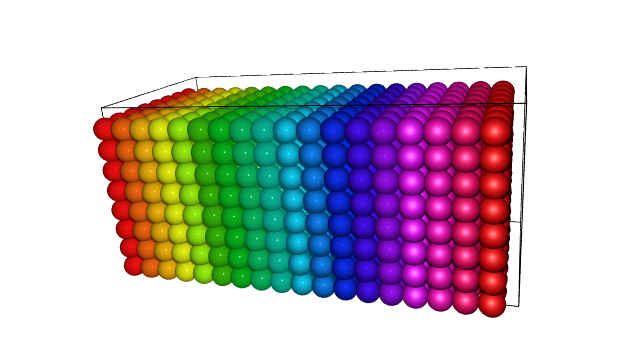
Rendering structure with povray#
atoms = Atoms('Ag', cell=(2.7, 2.7, 2.7), pbc=True) * (18, 8, 8)

rotation = '-70x, -20y, -2z'  # found using ASE-GUI menu 'view -> rotate'

# Make colors
colors = hsv(atoms.positions[:, 0])

# Textures
tex = ['jmol'] * 288 + ['glass'] * 288 + ['ase3'] * 288 + ['vmd'] * 288


# Keywords that exist for eps, png, and povs
generic_projection_settings = {
    'rotation': rotation,
    'colors': colors,
    'radii': None,
}

povray_settings = {  # For povray files only
    'display': False,  # Display while rendering
    'pause': False,  # Pause when done rendering (only if display)
    'transparent': False,  # Transparent background
    'canvas_width': None,  # Width of canvas in pixels
    'canvas_height': None,  # Height of canvas in pixels
    'camera_dist': 50.0,  # Distance from camera to front atom
    'image_plane': None,  # Distance from front atom to image plane
    # (focal depth for perspective)
    'camera_type': 'perspective',  # perspective, ultra_wide_angle
    'point_lights': [],  # [[loc1, color1], [loc2, color2],...]
    'area_light': [
        (2.0, 3.0, 40.0),  # location
        'White',  # color
        0.7,
        0.7,
        3,
        3,
    ],  # width, height, Nlamps_x, Nlamps_y
    'background': 'White',  # color
    'textures': tex,  # Length of atoms list of texture names
    'celllinewidth': 0.05,  # Radius of the cylinders representing the cell
}

# Make flat png file
# write('flat.png', atoms, **kwargs)

# Make the color of the glass beads semi-transparent
colors2 = np.zeros((1152, 4))
colors2[:, :3] = colors
colors2[288:576, 3] = 0.95
generic_projection_settings['colors'] = colors2

# Make the raytraced image
# first write the configuration files, then call the external povray executable
renderer = write(
    'nice.pov',
    atoms,
    **generic_projection_settings,
    povray_settings=povray_settings,
)
renderer.render()
PosixPath('/builds/ase/ase-deploy/examples/tutorials/04-gallery/nice.png')